How to delete your Whoppah profile
My accountUpdated Sep 2, 20261 min read
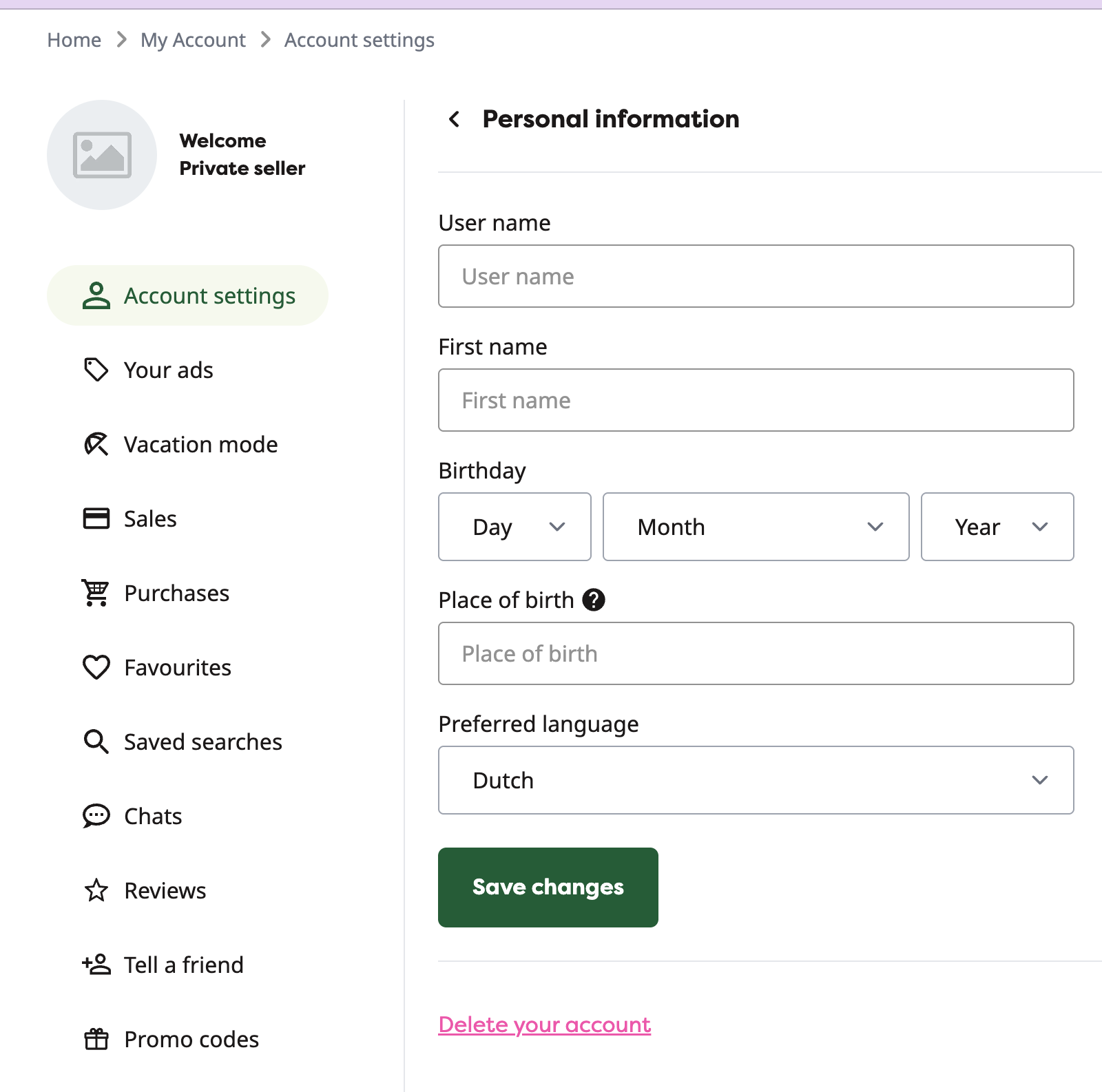
Go to your Whoppah account and click on "account settings".
How can I delete my profile from Whoppah?
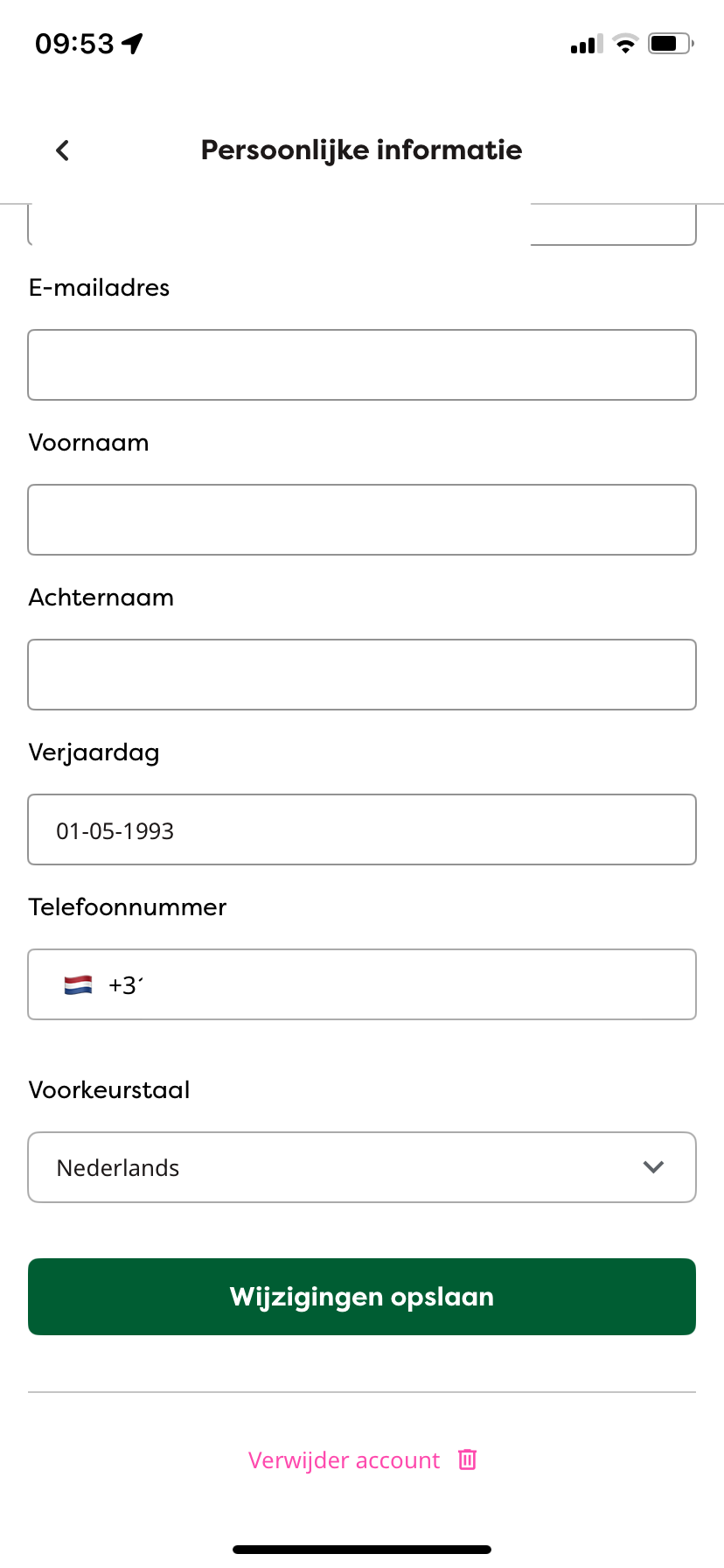
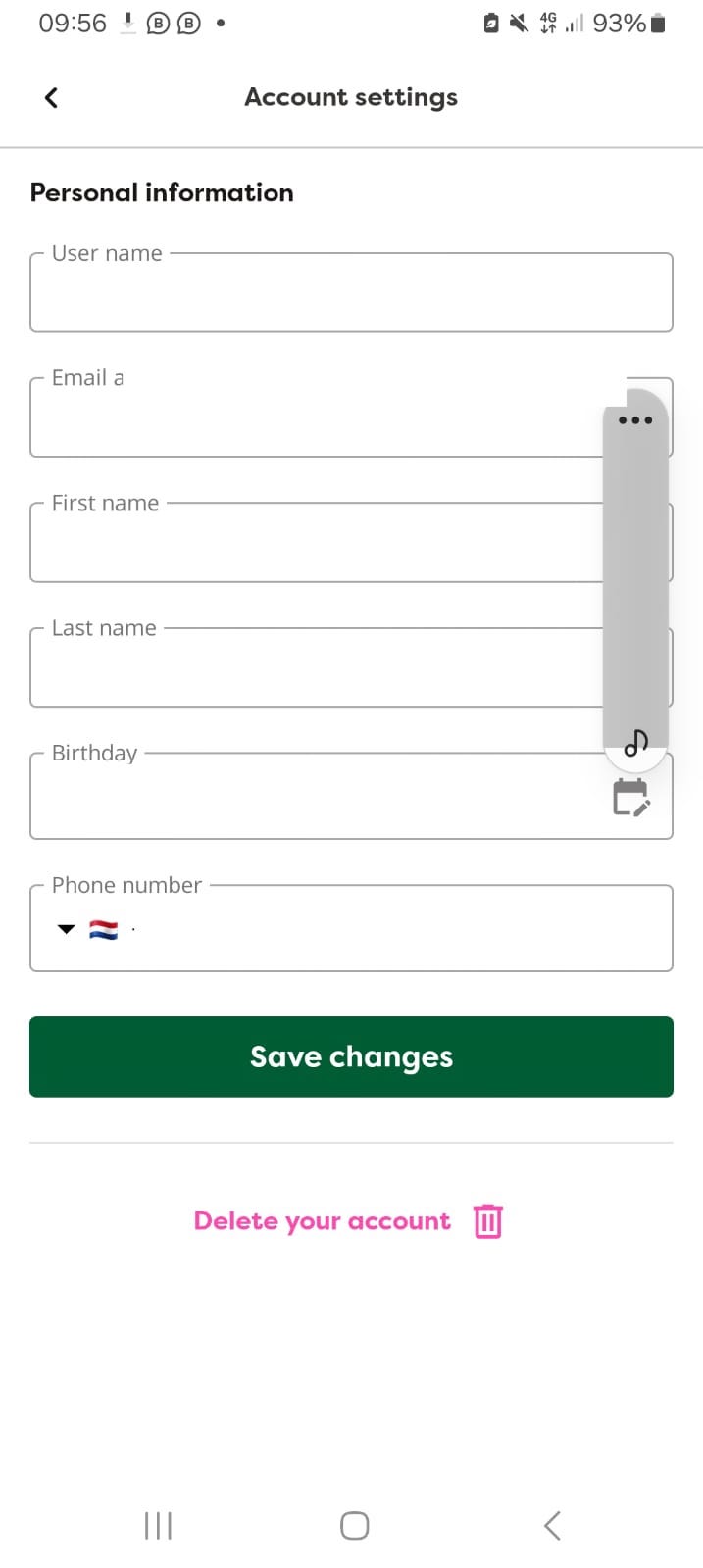
Go to your Whoppah account and click on "account settings". Then click on "personal information" below the green button to save changes you can find the "delete your account" button in pink.
Do I need to provide a reason for deleting my profile?
No, you do not need to provide a reason for deleting your profile.
How long will it take for my profile to be deleted?
Our support team will process your request within 24 hours and remove your profile permanently.
Will my information still be kept after my profile is deleted?
No, once your profile is deleted, all your information is permanently removed from our systems.
Can I restore my profile after it has been deleted?
No, once your profile is permanently deleted, it cannot be restored.
Related questions
I can't log in to my Whoppah account
If you're having trouble logging into your account, please follow the steps below to resolve the issue.Make sure you are using the correct email address that
How do I change my password?
To change your password, follow these steps: First, navigate to 'Account' and then select 'Account Settings'.
I received an email about a new chat message, but I can’t find it in the Whoppah chat. What should I do?
1. The message was deletedIt’s possible that the message was deleted by the other party before you had a chance to view it.
Why do we ask for your date and country of birth?
To speed up this verification process, we give you the option to pre-fill this information in your account.
Still need help?
Weekdays 09:30 to 17:00